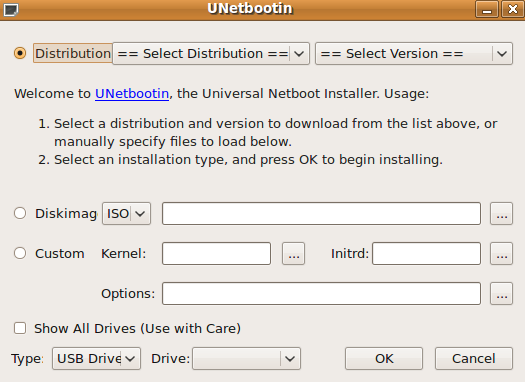
UNetbootin can create a bootable Live USB drive, or it can make a “frugal install” on your local hard disk if you don’t have a USB drive. It can load distributions by automatically downloading their ISO (CD image) files, or by using existing ISO files, floppy/hard disk images, or kernel/initrd files, for installing other distributions.
How to Install UNetbootin on ubuntu?
For Ubuntu 9.10 and higher, just run following three commands in Applications-> Accessories-> Terminal to install UNetbootin from PPA:
sudo add-apt-repository ppa:gezakovacs/ppaFor older versions First, edit /etc/apt/source.list by this command:
sudo apt-get update
sudo apt-get install unetbootin
sudo gedit /etc/apt/sources.list
Add one of following lines to the file, then save and close.
For ubuntu 8.04:
deb http://ppa.launchpad.net/gezakovacs/ppa/ubuntu hardy main
deb-src http://ppa.launchpad.net/gezakovacs/ppa/ubuntu hardy main
For ubuntu 8.10:
deb http://ppa.launchpad.net/gezakovacs/ppa/ubuntu intrepid main
deb-src http://ppa.launchpad.net/gezakovacs/ppa/ubuntu intrepid main
For ubuntu 9.04:
deb http://ppa.launchpad.net/gezakovacs/ppa/ubuntu jaunty main
deb-src http://ppa.launchpad.net/gezakovacs/ppa/ubuntu jaunty main
Now,add the GPG key:
sudo apt-key adv --keyserver keyserver.ubuntu.com --recv-keys 72D340A3
Update and install UNetbootin:
sudo apt-get update
sudo apt-get install unetbootin
Go to Applications-> System Tools-> UNetbootin